Build a Seedance 2.0 product video from one reference image
Turn a burger photograph into an exploded-view video with clear reference binding, ordered motion, and a fixed camera.
Make a burger’s ingredients separate, float apart, and return to a complete stack while the camera stays fixed. To direct that shot, name the visible layers, give their movement an order, and state what must stay still.
Prepare a product photograph you own and submit it with a prompt to seedance-2-0-pro through VizoAPI’s POST /v1/generations endpoint. For the other Seedance models and their rates, see the Seedance API overview.
1. Choose a reference with visible parts
Start with a photograph that makes the product’s structure legible. In this example, the bun, tomato, fried egg, beef patty, shrimp, onion, lettuce, and cheese are visible from the same viewing angle. That gives you a concrete inventory to describe before asking the model to move anything.
The clips and frames here are from ByteDance’s own example.
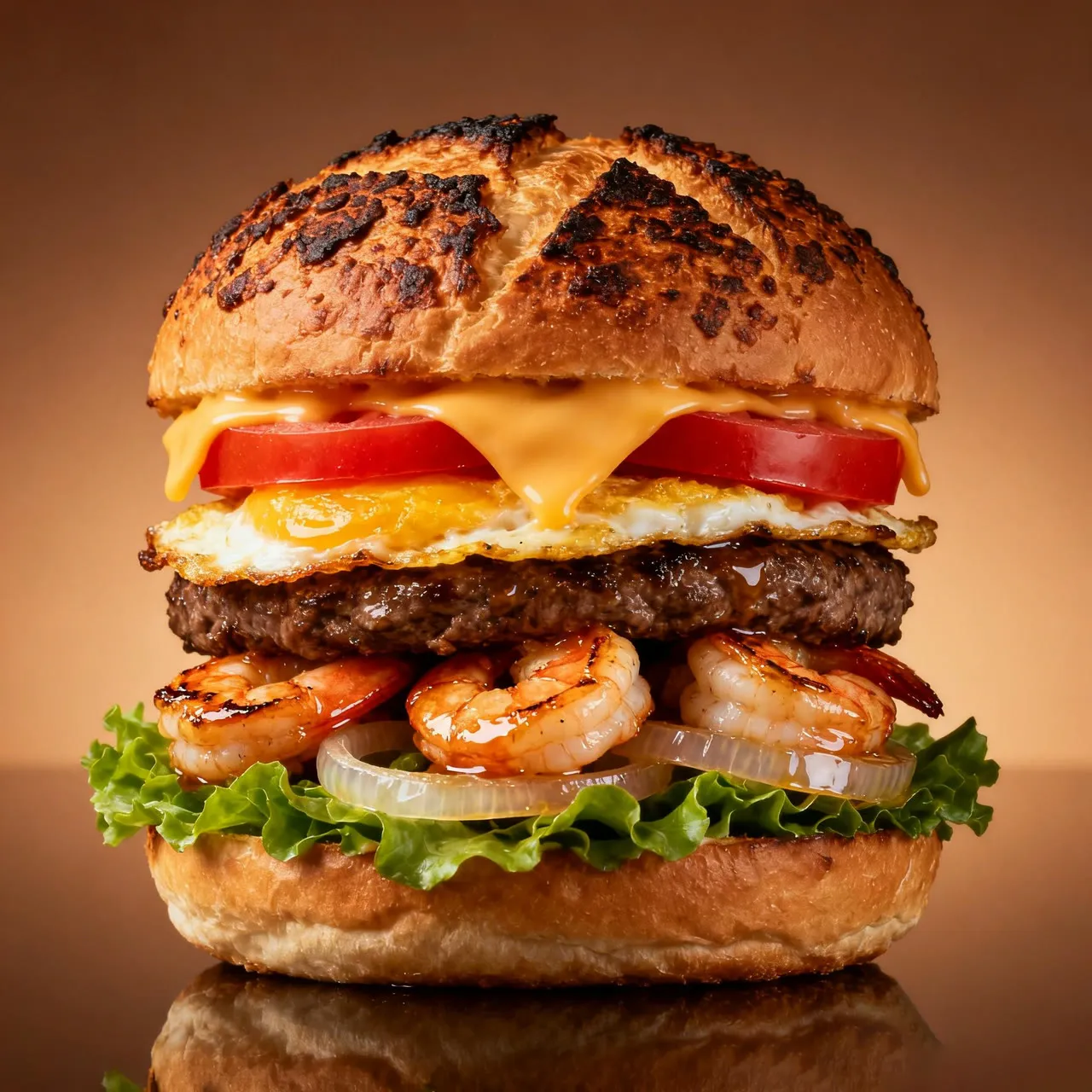
- Put the reference image in a project folder.
- Write down the visible layers from top to bottom.
- Decide which layers should separate and which should move together.
- Choose the camera behavior before writing the action.
For this shot, use a fixed camera. The burger already supplies the movement. A simultaneous orbit would introduce another changing relationship: you would have to judge whether an ingredient moved or whether the camera simply revealed a different side.
Describe more than a generic burger. Keep those details in the brief: a toasted bun, tomato slices, a fried egg, a beef patty, shrimp, onion rings, lettuce, and melted cheese. Those are useful continuity checks when you inspect the result.
2. Attach the image to a VizoAPI request
Put the photograph in input.content as an image item. Its type is "image_url", its address goes in image_url.url, and its role is "reference_image". Add the prompt as a separate content item with type: "text" and a text value.
Make the picture’s responsibility explicit in the opening sentence: “Animate the burger from the reference photograph.” The API input defines no special reference-tag syntax. With one attached image, that description also keeps the prompt focused on the actual product instead of a generic burger.
Send this body to POST /v1/generations. Replace the placeholder product URL with an accessible HTTPS URL for your photograph, then replace the short text with the full motion brief in step 4.
{
  "model": "seedance-2-0-pro",
  "input": {
    "content": [
      {"type": "text", "text": "Animate the burger from the reference photograph. Keep the camera fixed. Separate its visible ingredients gently, then lower them back into a complete stack."},
      {"type": "image_url", "image_url": {"url": "https://example.com/product.jpg"}, "role": "reference_image"}
    ],
    "duration": 11,
    "ratio": "9:16",
    "resolution": "720p",
    "generate_audio": false
  }
}
The outer model chooses the model; input holds its generation fields. Check the image URL together with the prompt before submitting. Replacing the photograph changes the reference even if the descriptive text stays the same.
If you prefer an interactive session, use the Playground on VizoAPI with the same model, image, prompt, and output settings. Keep a copy of those inputs for later revisions.
3. Separate generation settings from descriptive words
Set the output fields separately from the motion instructions. Use 9:16 and 720p for a 720 × 1280 portrait frame, and allow 11 seconds for the separation and return.
| Item | Setting for this walkthrough | Basis |
|---|---|---|
| Model | seedance-2-0-pro |
VizoAPI model for this walkthrough |
| Input | One product image | Defines the visible product |
| Camera | Fixed position | Requested in the text prompt |
| Motion | Rotate, separate, descend, reassemble | Ordered in the text prompt |
| Aspect ratio | 9:16 | Clip dimensions: 720 × 1280 |
| Resolution | 720p |
Matches the clip dimensions |
| Duration | 11 seconds |
Clip runs approximately 11 seconds |
| Image role | reference_image |
Supplies product appearance without frame roles |
Seedance 2.0 Pro accepts integer durations from 4 to 15 seconds, so duration: 11 is supported. Change the duration field if you need more time for separation or reassembly. Keep the written action within that budget.
“High detail” in a prompt is a visual request. Set resolution to 480p, 720p, or 1080p and check the downloaded file afterward. Set the aspect ratio with ratio; this portrait shot uses 9:16. The example sets generate_audio: false for a silent product clip. Set it to true if you want generated sound, and describe the sound in the prompt.
4. Give the action a clear order
Match the ingredient list to the photograph. A sesame bun and two beef patties would describe a different burger from the fried egg and shrimp visible here. Resolve any mismatch between your text and image before generating.
Animate the burger from the reference photograph in an exploded view.
Keep the camera fixed. Suspend the burger and rotate it as its layers
separate gently. Each ingredient must retain its shape and proportions.
Use smooth movement without added effects.

Separate the toasted top bun, melted cheese, tomato slices, fried egg,
beef patty, shrimp, onion rings, lettuce, and bottom bun shown in the
photograph. Then lower the layers back into a complete burger.
Keep the cheese soft, with a slow drip during the movement.
The prompt names the camera constraint before the moving parts. Keep that order when you revise the shot. VizoAPI’s public input does not accept a camera_fixed field; request the fixed viewpoint in the text.
Specify the end condition: the ingredients return to a complete burger. An exploded-view request alone leaves the model to choose whether the parts keep spreading, hang in midair, or settle into a stack.
For a different product, replace the inventory with components visible in your reference. Keep the mechanical sequence only if that sequence makes sense for the object. A sealed bottle and a layered sandwich need different movement plans.
5. Inspect separation before judging the finish
Submit the VizoAPI request and inspect the middle of the returned clip. Do this before choosing a thumbnail or reviewing color. The middle is where you can see whether the model maintained the identity and number of the components.
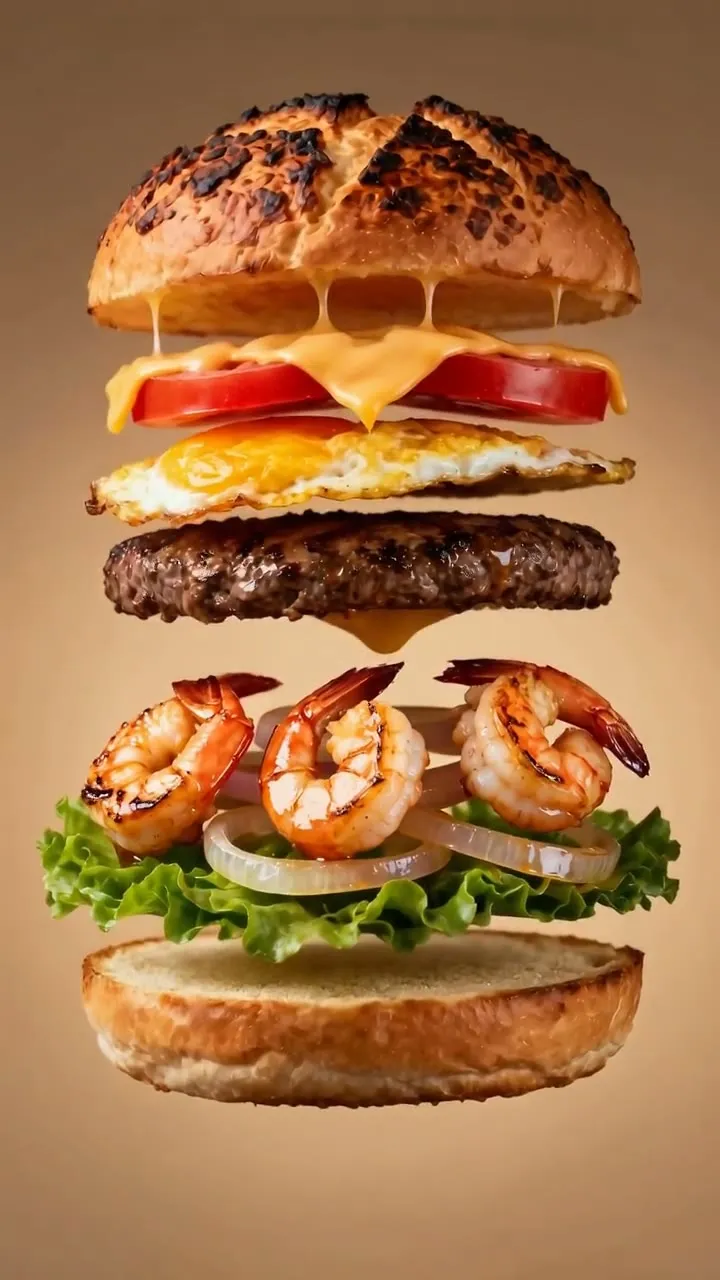
Pause on a frame with the layers apart. Compare it with your inventory. Check the egg, patty, shrimp, lettuce, and buns individually. Then play through the separation at normal speed. A convincing isolated frame can hide a sudden change in size or an ingredient appearing between frames.
Check three things during playback:
- The product stays recognizable throughout the shot.
- Each part follows a readable path.
- The camera stays in the requested position.
Record the first moment that fails. “The lower patty changes size during separation” is a more useful revision note than “make it more realistic.” It identifies a component and an action that can be addressed in the next prompt.
6. Review reassembly as a separate event
Next, inspect the separated layers and their descent. The action should finish as a recognizable stack. Watch whether the components reconnect or simply overlap in a way that works for one frame.
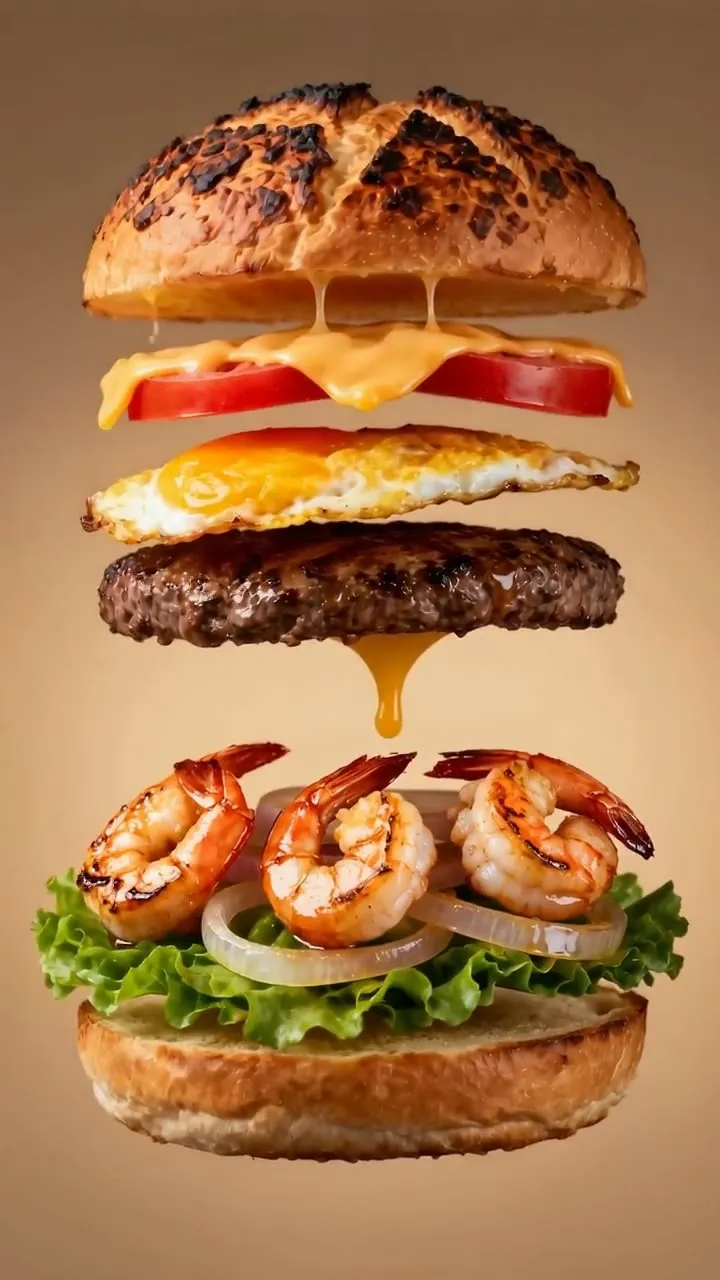
If the motion order is wrong, revise the sequence in the prompt. Preserve the ingredient list and fixed-camera instruction while changing the action wording. That lets you review the next result against the same visual requirements.
To revise the action through VizoAPI, change the text value and submit a new generation request with the same image and settings. To try another result from the same brief, submit a new request with unchanged inputs. Both actions create a new generation; neither edits an existing output video. Make precise trims in a video editor after generation.
Avoid changing model, camera, product image, and movement at once. You need a stable comparison to decide whether the revision helped.
7. Check the final product frame
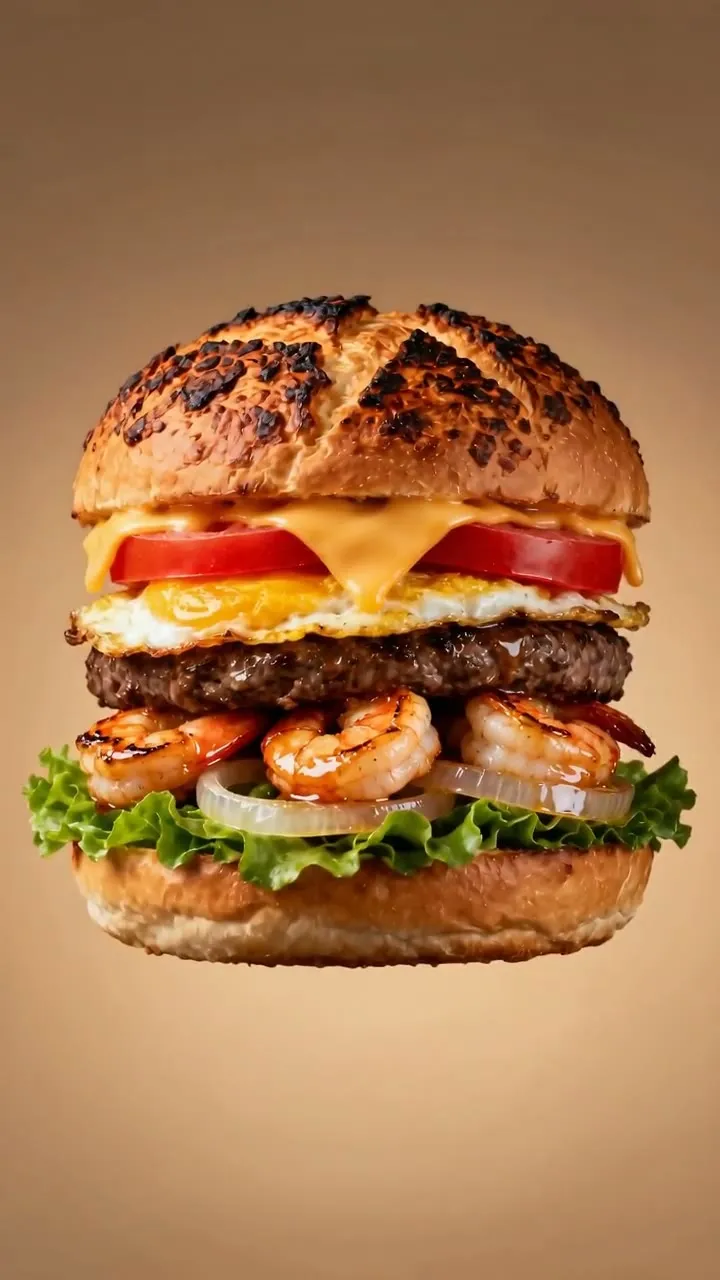
Compare the final stack with the original photograph. Check the silhouette, layer count, color, and background. Then watch the entire clip once more to see whether the finish follows naturally from the preceding motion.
Generated lettering can be malformed. Exclude text or subtitles in the prompt when you do not want them. If lettering still appears, strengthen that instruction and regenerate. Keep any essential legal copy, price, or promotional caption in a separate editing pass where you can proofread it.
Keep this as a reference-image workflow. Seedance 2.0 Pro accepts up to nine images, but one is enough for this shot. If you choose a first/last-frame workflow instead, send a separate request: last_frame requires first_frame, and frame roles cannot be mixed with reference-image or reference-audio roles.
For a production handoff, save the input image, exact request body, and downloaded output together. Include a short acceptance note describing the action you approved. The next person editing the campaign should be able to distinguish the accepted product shot from earlier experiments.